Once your club is in Padel Pals, members can fill empty seats without a group-chat scramble. Under Matches → Upcoming you can browse Mine, Club and Join. When you schedule, you decide who can sit in the empty seats.
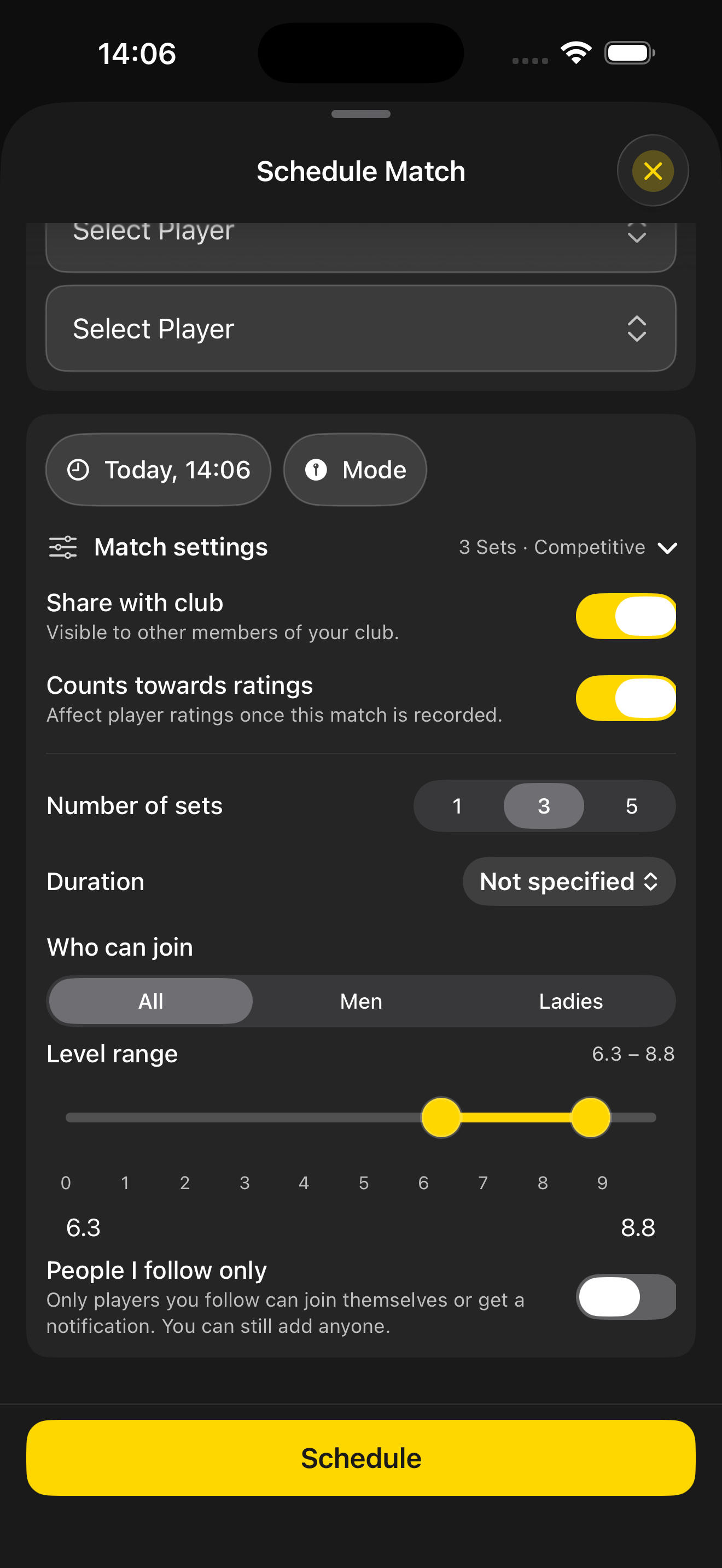
Who can join
Set All / Men / Ladies, a level range on the slider, and toggle People I follow only. Choose whether the match is shared with the club and whether it counts towards ratings.
Private stays with the people you invite. Open and Competitive invite suitable clubmates in.
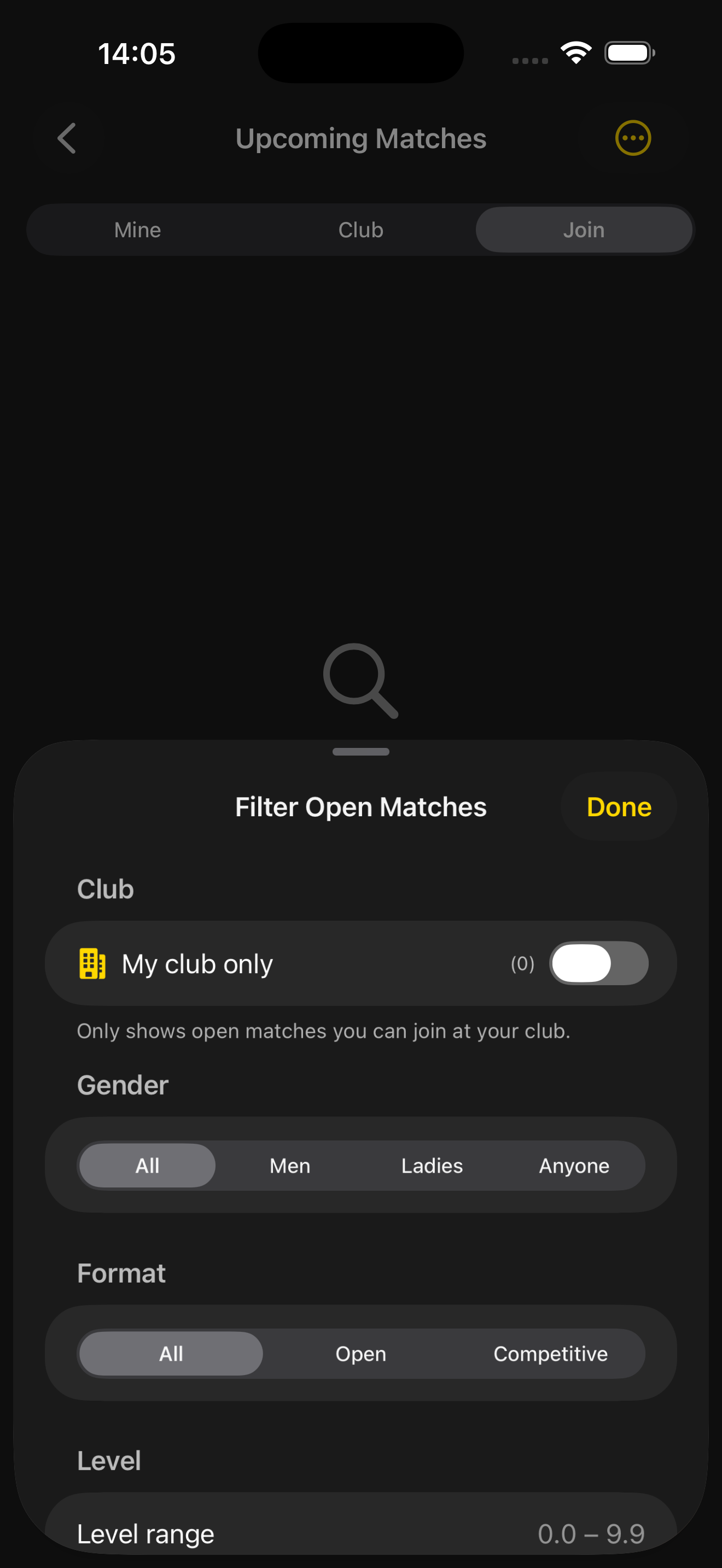
Filter the board
Narrow Upcoming by my club, gender, format (Open / Competitive) and level range until the list matches how you want to play.
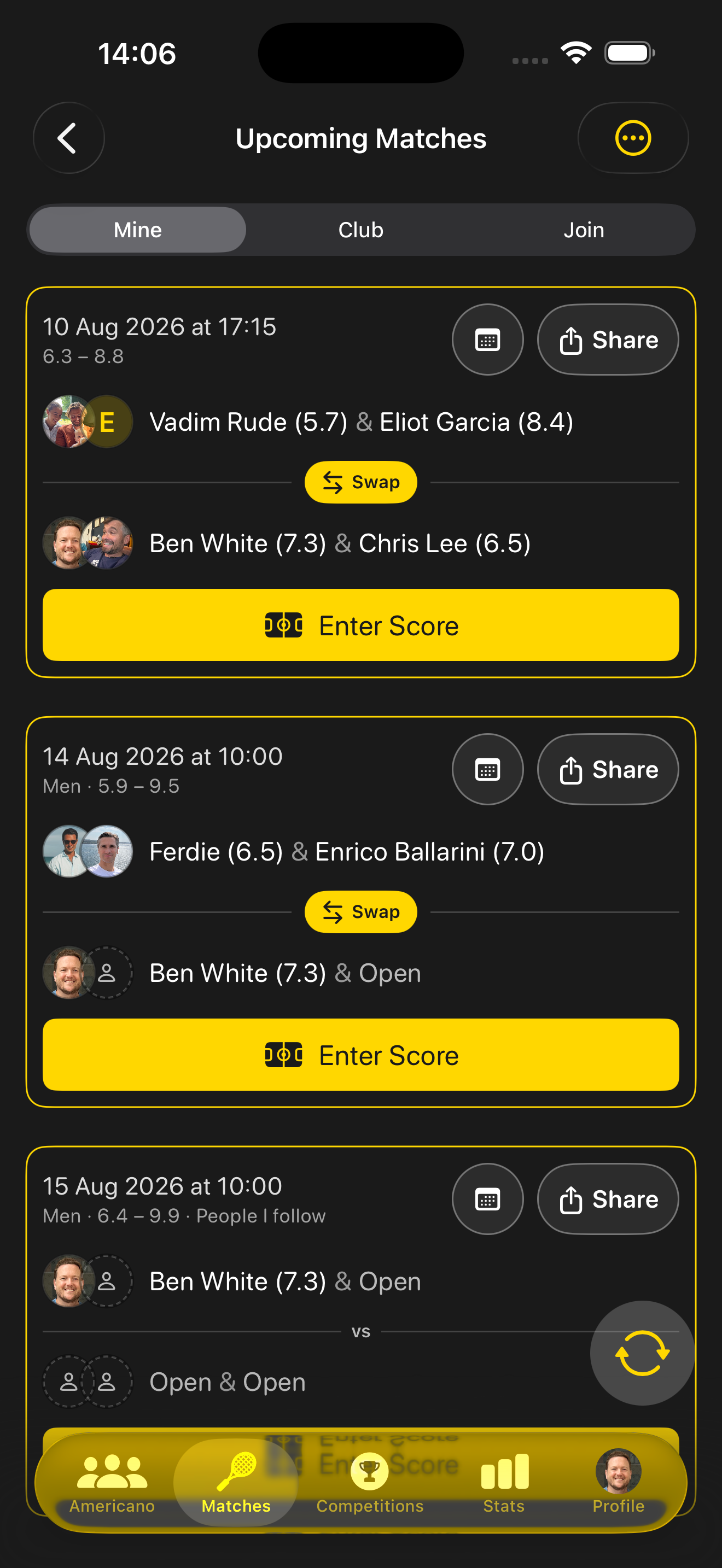
Open slots you can claim
Upcoming → Mine highlights fixtures with open player slots and follow-based gating, so you can see at a glance which games still need a fourth.
Suitable-match notifications can tip you off when an open game fits your level — so you don’t miss the good ones.
Club fixtures at a glance
The Club tab keeps shared fixtures visible with ratings and level bands — handy when you’re scanning what’s already booked this week.
Levels power fair matching →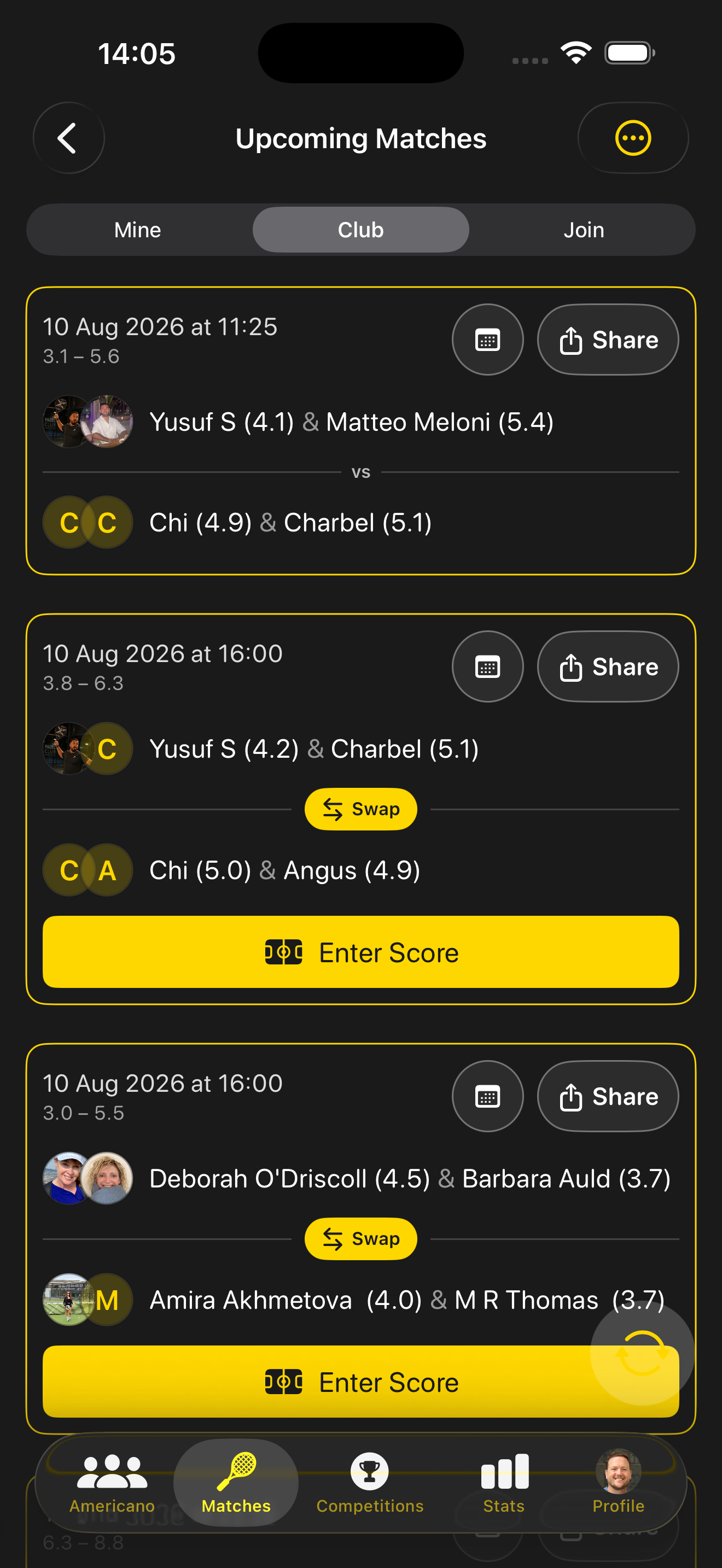
Find your next game
Download the app, complete your profile level, and open Upcoming.