My Leagues
Open the Competitions tab and choose Leagues. Filter Active, Upcoming or Completed, and Box versus Americano. Staff tap + to create a league.
Ability-based doubles boxes, a live table and results in the same app, with play times on the club court board when you want them.
Box League lives under Competitions → Leagues. Players open My Leagues, tap View League for the standings grid, and submit set scores in the match sheet. Staff create the round in-app. Courts for fixtures sit on Court Bookings via Play times. Grouping uses the same player levels as the rest of the club. Rotating-partner nights stay on Americano.
The tab, the list and the table members already look for — without a spreadsheet round-robin.
Open the Competitions tab and choose Leagues. Filter Active, Upcoming or Completed, and Box versus Americano. Staff tap + to create a league.
The box grid shows Team, Pts and every pairing. Switch division when the round has more than one box. Upcoming Matches and Match Results sit under the table.
Open a pending cell or upcoming row. Enter Set Scores — or Award Walkover — then Submit Result. Scores feed ratings and match history.
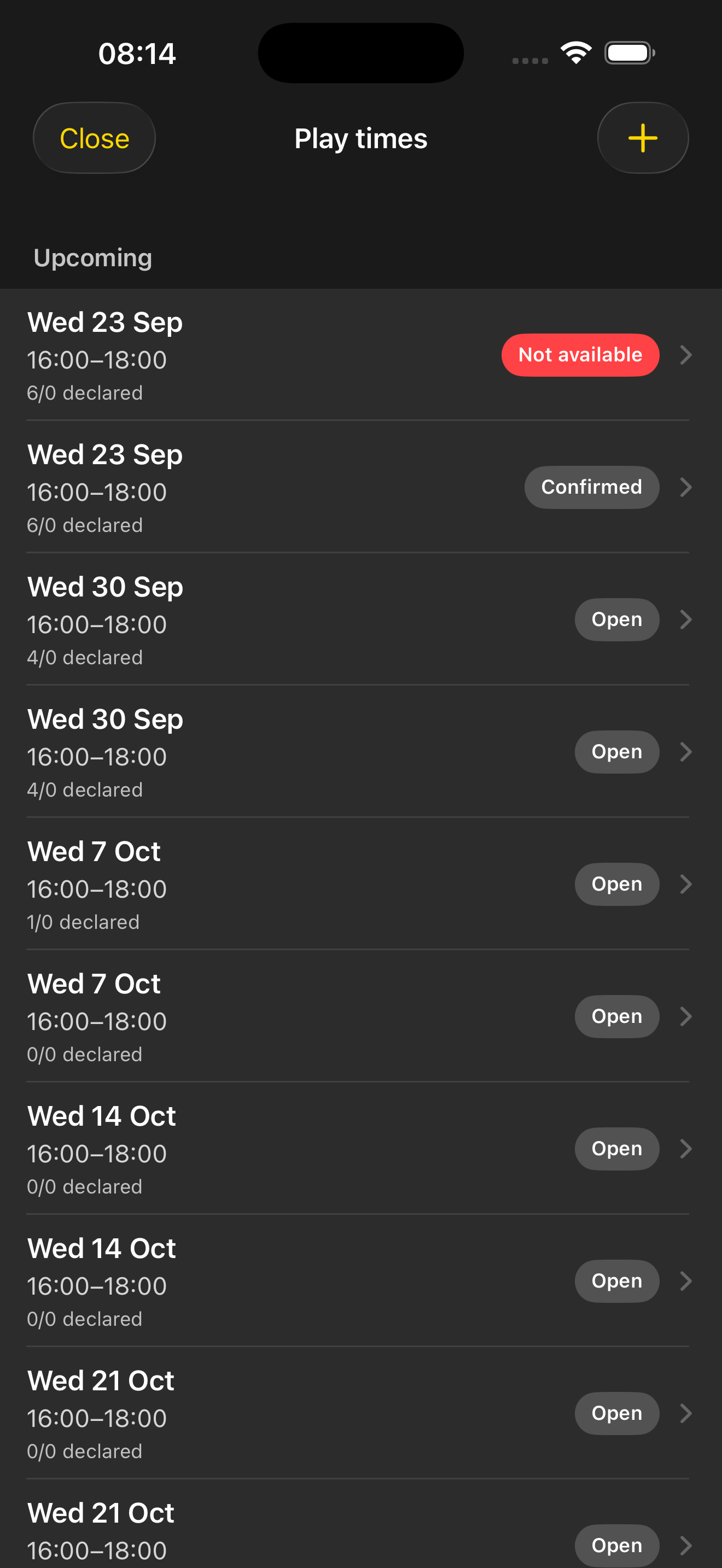
Staff open shared Play times so box matches have a court window. Members say Available or Not available; confirmed windows become bookings on the same board. League playing rules stay on the Box League rules page — the court is no longer a side conversation.
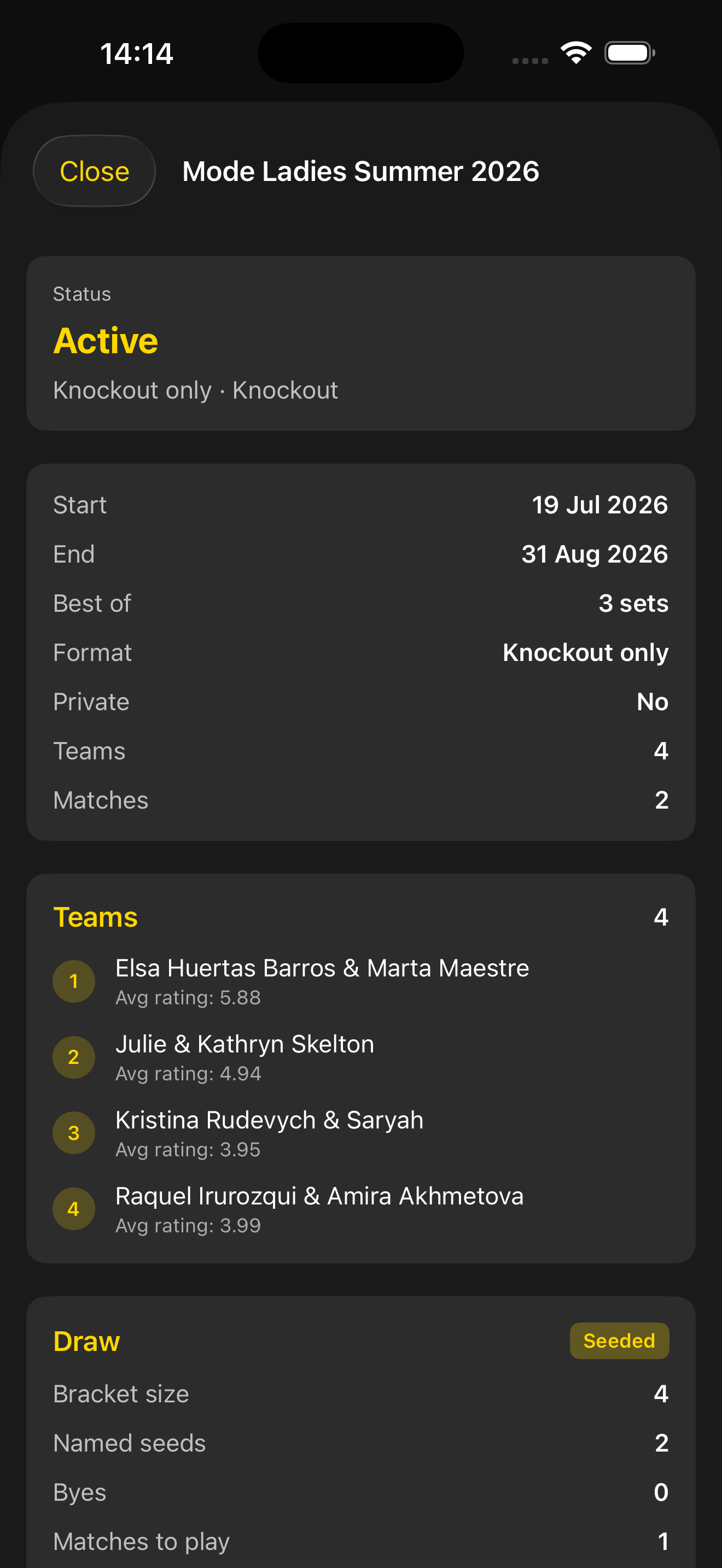
Competitions also holds Tournament — seeded knockout draws with team average ratings. Results from boxes and brackets both land in history. This page is the box-league side of that hub.
Create Box League, add pairs, then let the grid and play times run the season.
Name, host club and duration. Set Number of Boxes, Teams Per Box (3–8) and Teams to Move between boxes. Private leagues take a password.
Staff open Manage Teams and Edit League Settings from the league detail. Members still only need View League and Play times.
When there is more than one box, the league shows how many teams move. Tie-breakers and walkovers are in the playing rules.
The same club, ratings and badges — Men’s, Ladies’ or Mixed.
Submitted results feed Stats and the shared player level scale used for grouping.
Rookie, Regular, Breakthrough and Champion sit with the rest of the badge families.
Leagues are split by category. Scoring is 5–1 for a straight-sets win, 4–2 after a match tiebreak, 4–0 for a walkover.
Format, points, walkovers, promotion and how to submit a result are written up for players and coordinators. Share that page with the club group; this page is how the app runs it.
Box League rulesStep-by-step stills: App Guide — View Box League and Submit Result.
Download the app, select your club or add it, then create a league from Competitions. Need help getting started? Contact us.